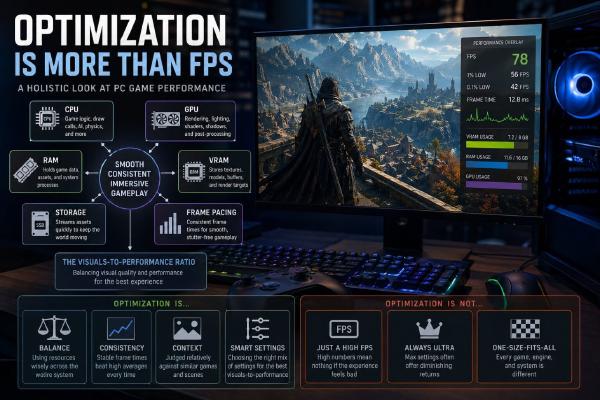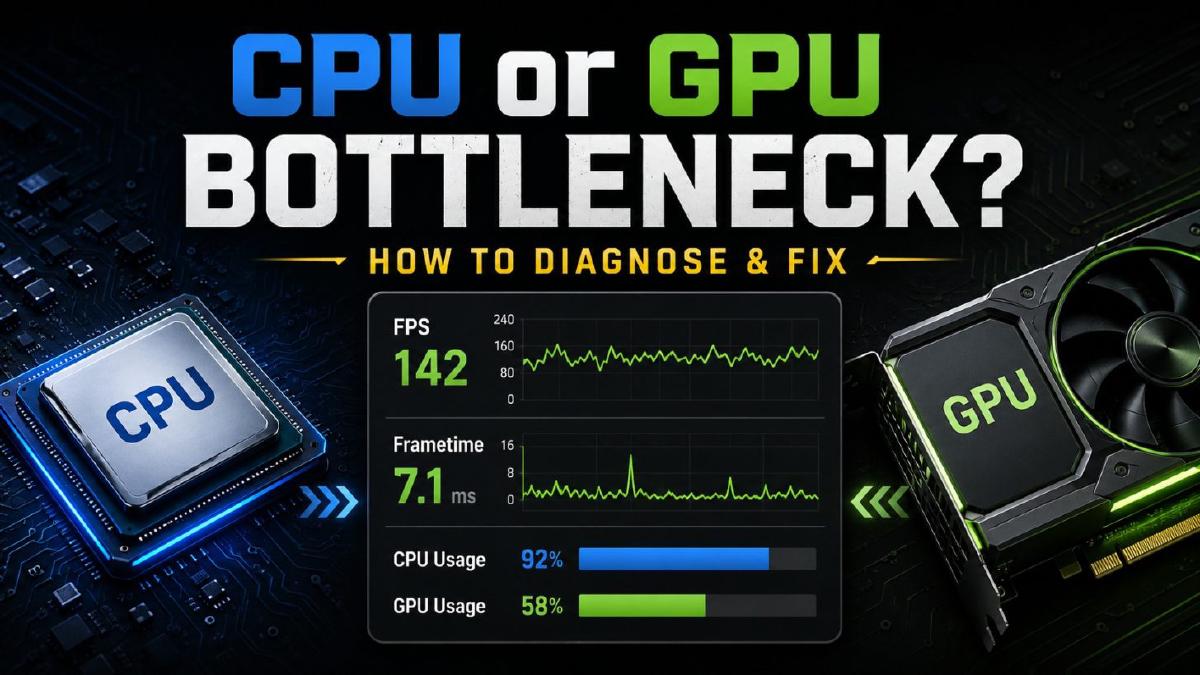
For many PC gamers, one nagging question often arises: Is my CPU holding back my graphics card? This concern can be particularly prominent when building a new setup, installing an upgraded GPU, or experiencing frustrating slowdowns in your favorite games. As first reported by Wccftech, understanding the dynamic nature of bottlenecks is key to enhancing your gaming performance.
Bottlenecks in gaming are not fixed states. Instead, they fluctuate based on various factors, including the specific game you are playing, the resolution you use, your graphics settings, and the framerate you aim to achieve. This means that your system might be primarily GPU-bound when you’re immersed in a graphically demanding AAA title, but could flip to a CPU-bound scenario in a less intense indie game.
The first step in diagnosing your performance issues is to analyze the game you are playing. Graphically intensive games tend to rely heavily on your GPU. In contrast, titles with more complex simulations or AI can place a greater load on your CPU. By monitoring your system’s performance metrics using tools like MSI Afterburner, you can quickly determine where the bottleneck lies. Keep an eye on CPU and GPU usage, temperature readings, and framerates for helpful insights.
Resolution plays a significant role as well. Higher resolutions, such as 1440p or 4K, put more strain on the GPU, often leading to a GPU-bound state. Conversely, playing at lower resolutions can shift the pressure onto the CPU, especially in CPU-heavy games. Adjusting your resolution can serve as a temporary solution to identify which component is throttling your experience.
Graphics settings also matter greatly. When you crank up the visual fidelity in a game, you naturally place more demands on the GPU. However, certain settings,like physics calculations and AI processing,can strain the CPU. If you notice a drop in framerate while maxing out those settings, this could be a sign that your CPU isn’t keeping up. Experimenting with different combinations can help you pinpoint the limits of your hardware.
Finally, aiming for a specific framerate can also influence which component becomes the bottleneck. If you’re trying to hit 144 fps in a game that leans heavily on CPU power, you may find that you’re not fully utilizing your GPU’s potential. Conversely, if you’re targeting high framerates in a visually demanding game without enough GPU horsepower, you’ll likely experience stuttering and lag.
In summary, diagnosing whether your CPU or GPU is causing performance issues requires a keen understanding of your gaming environment. By monitoring usage patterns and adjusting settings, you can optimize your rig for a smoother experience. While the concept of bottlenecking can seem daunting, it is ultimately a flexible condition that can be managed.
For those looking to elevate their gaming experience, understanding the intricacies of your hardware will go a long way. Whether you are a seasoned gamer or just starting out, having this knowledge can help you get the most out of your investment in gaming technology.
Context: Wccftech is known for its in-depth tech coverage, including discussions about PC gaming performance. As the demand for powerful gaming rigs continues to rise, understanding how to optimize hardware configurations is more important than ever.
Image credit: Wccftech
This article was generated with AI assistance and reviewed for accuracy.